

Replacing Claude Code With Pi. Here's How.
The open source Claude Code killer

I wrote a post yesterday about Pi.dev by Mario Zechner.
This is a follow on, for how you can get started.
It’s quite simple to begin with but then the learning curve starts:
Installing Pi.
Picking a provider (best options IMO).
Running your first session.
I will be doing a paid post about my setup, otherwise enjoy this free guide.
1. Installing Pi
npm install -g @mariozechner/pi-coding-agentIt’s that simple.
Then to get started you run:
piTo work with Pi you need to connect a model:

Before you /login let’s go through the options.
2. Picking a provider
Before you go and sign into Anthropic there is something important to know:

Anthropic has banned 3 party usage, which means it will bill you at API usage rates.
What do I recommend?
Before you select the openrouter api there are some important things:
Find a discount.
Good preforming model.
Privacy.
1. Find a discount
This is exactly what the Claude Code subscription is giving you, it’s giving you an insane discount on API usage.
The same with Codex & Copilot.
So before you think of running pay as you go, it’s good to find a discounted package, as regular usage will be eaten by regular coding usage.
2. Good preforming model
Gone are the days when Claude was the only good model.
Forget Claude’s fake graphs the results are actually much closer than you think.
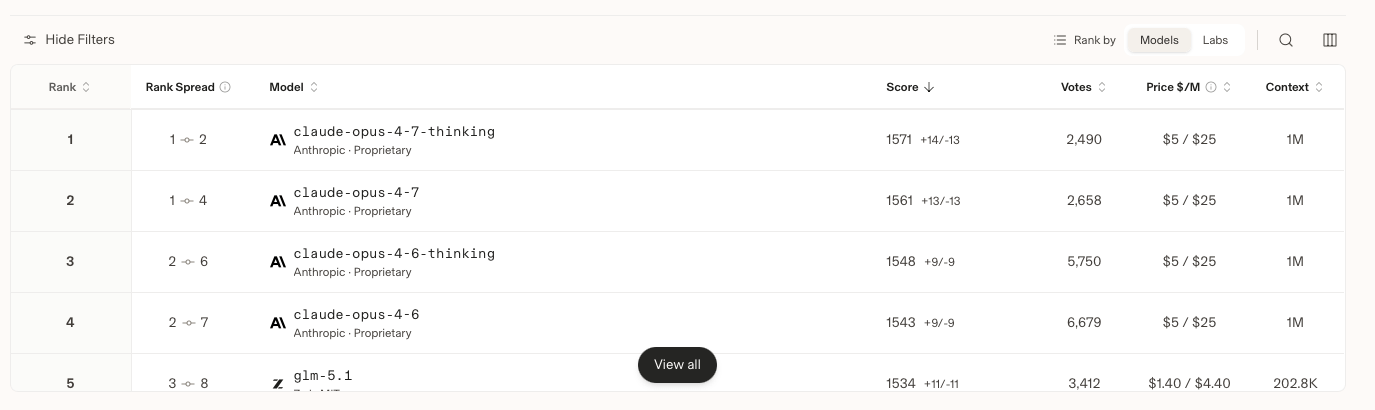
Check out the Code Arena leaderboard (also just a note, not many are using 4.7 so this is even closer).
3. Privacy
So it’s very important to check how your data is being used (especially when it comes to your code).
This is something we had to do at work when deciding whether or not to use OpenRouter.
Turns out a lot of providers that look cheap, train and share your data.
However this is also quite personal and comes down to your trust in a company.
What providers I recommend
Let’s go through the list and my thoughts:
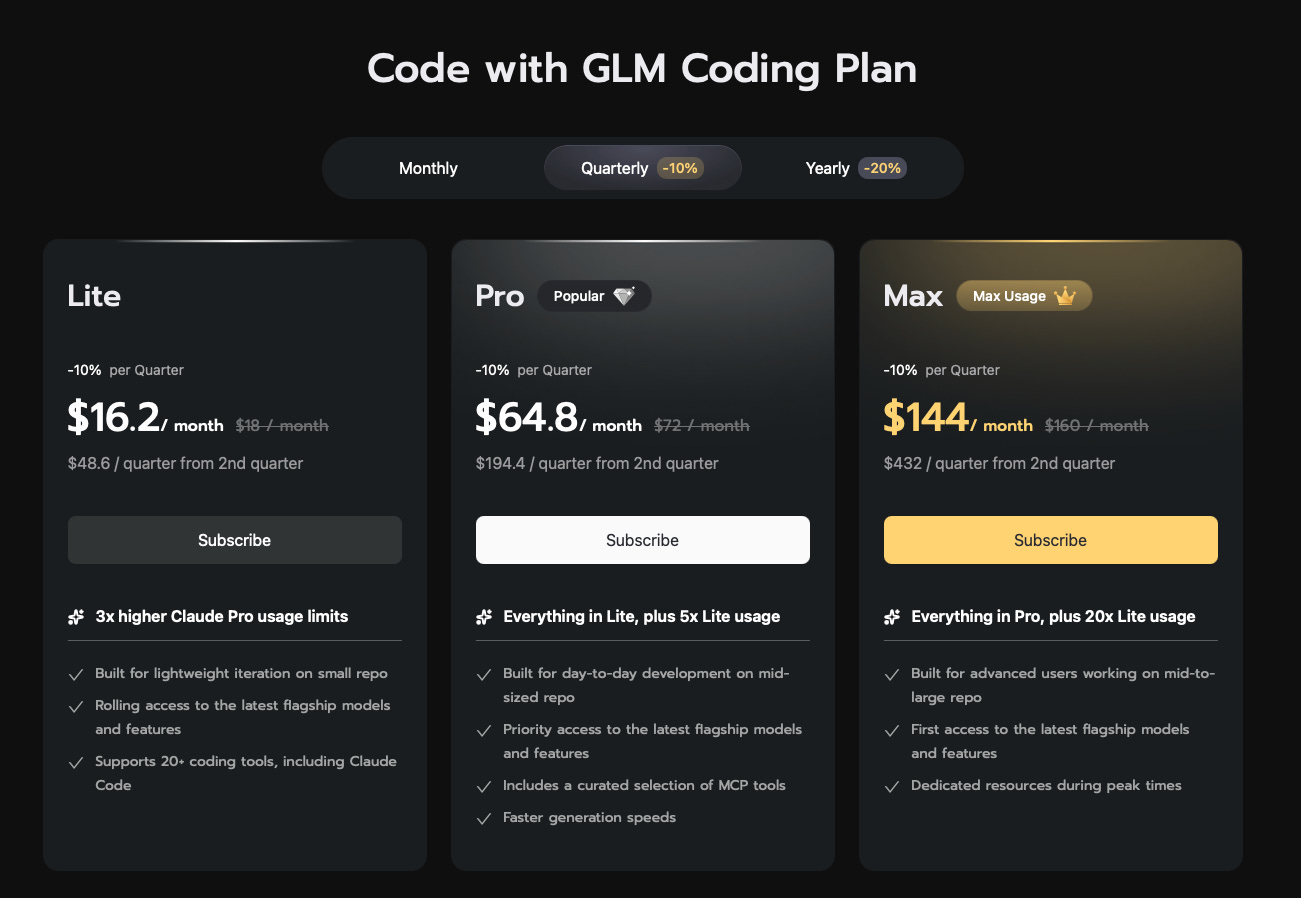
Z.ai/glm ($1.40/$4.40): very good pricing/performance/discount plan.
OpenAI/gpt ($2.50/$15): very good pricing/performance/discount plan.
Google/gemini ($2/$12): good pricing.
Other providers
Moonshot/kimi ($0.95/$4)
Xiamoi/mimo ($1/$3)
Alibaba/qwen ($0.33/$1.95)
Providers not to use
Anthropic/Claude: without the ability to use the discounted rate this is too expensive.
Meta/muse: Good luck finding access.
Deepseek: They have sketchy policies around data.
Providers I use with Pi
I currently use Z.ai with the awesome GLM Coding Plan
I also have been using Codex with the good discount.
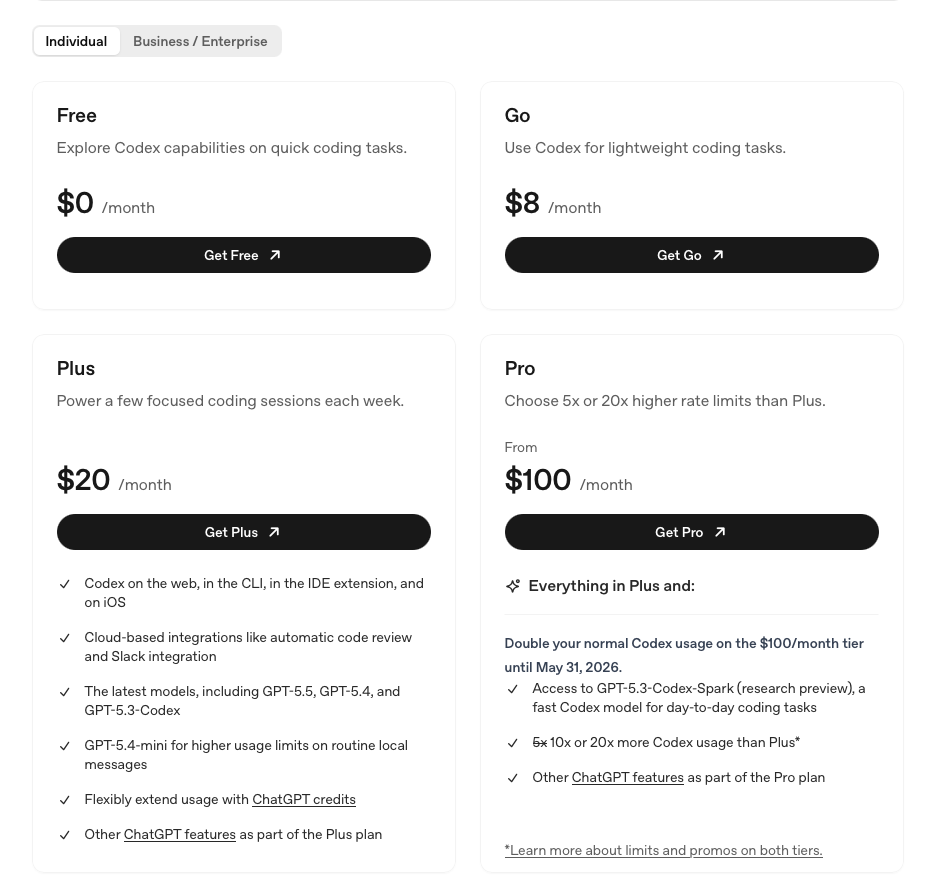
Unlike Claude Code where you have to use the $100 plans, I wouldn’t recommend that now, I use Z and Codex on the Lite & Plus plans. I like the idea of trying different providers out as much as possible.
3. Running your first session
Once you’ve logged in with /login, you’re ready to go.
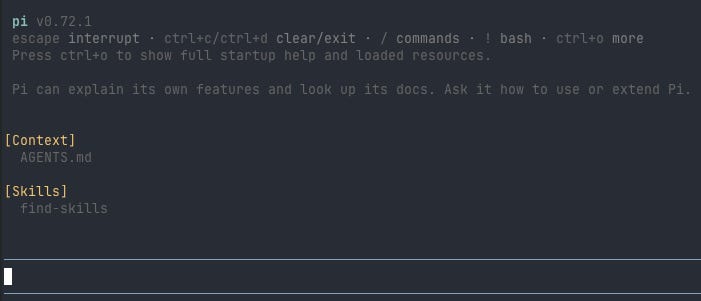
Pi gives you 4 tools by default: read, write, edit, bash.
The system prompt is only 200 tokens which is crazy.
This is the first prompt they recommend trying:
Summarize this repository and tell me how to run its checks.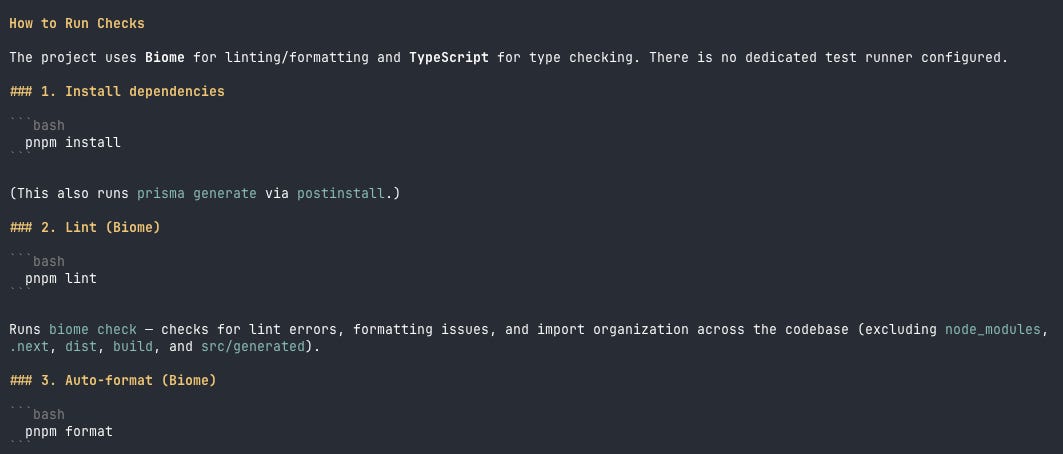
Okay so here are some helpful commands to know:
@symbol used for files (normal)./modelto quickly change modelsCTRL+Lshortcut.pi -cto continue last session.pi -r to browse sessions (I love this).
/newto start a new session (better than /clear IMO).
Settings
/settings reveals a bunch of settings so I’m going to go over the main important ones.
defaultThinkingLevel, this ranges between minimal - xhigh.thinkingBudgets, you can set the token limit too.compaction.reserveTokens&compaction.keepRecentTokens, customise your compaction.enabledModels, enable/disable models.
Tree navigation
This feature is really great. It allows you to view your conversation tree.
You can split and start a session from a spot, or go back and start the conversation from a certain spot.
Type /tree to open the tree.
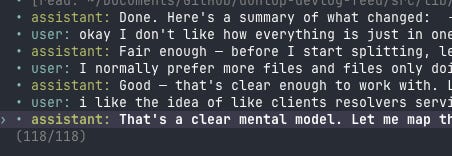
This is what my current conversation looks like.
Here is a link to some awesome navigation.
That’s everything you need to get started and start playing around.
Install Pi. Pick a provider with a discount plan. Run your first session. Learn the tree.
The basics take 10 minutes.
Pi rewards the time you put into it because everything you build is yours to keep.
I'll be writing a paid post walking through my full Pi setup.
This is great thank you very much Alex - going to give this a go.